# Flex Objects Plugin
## About
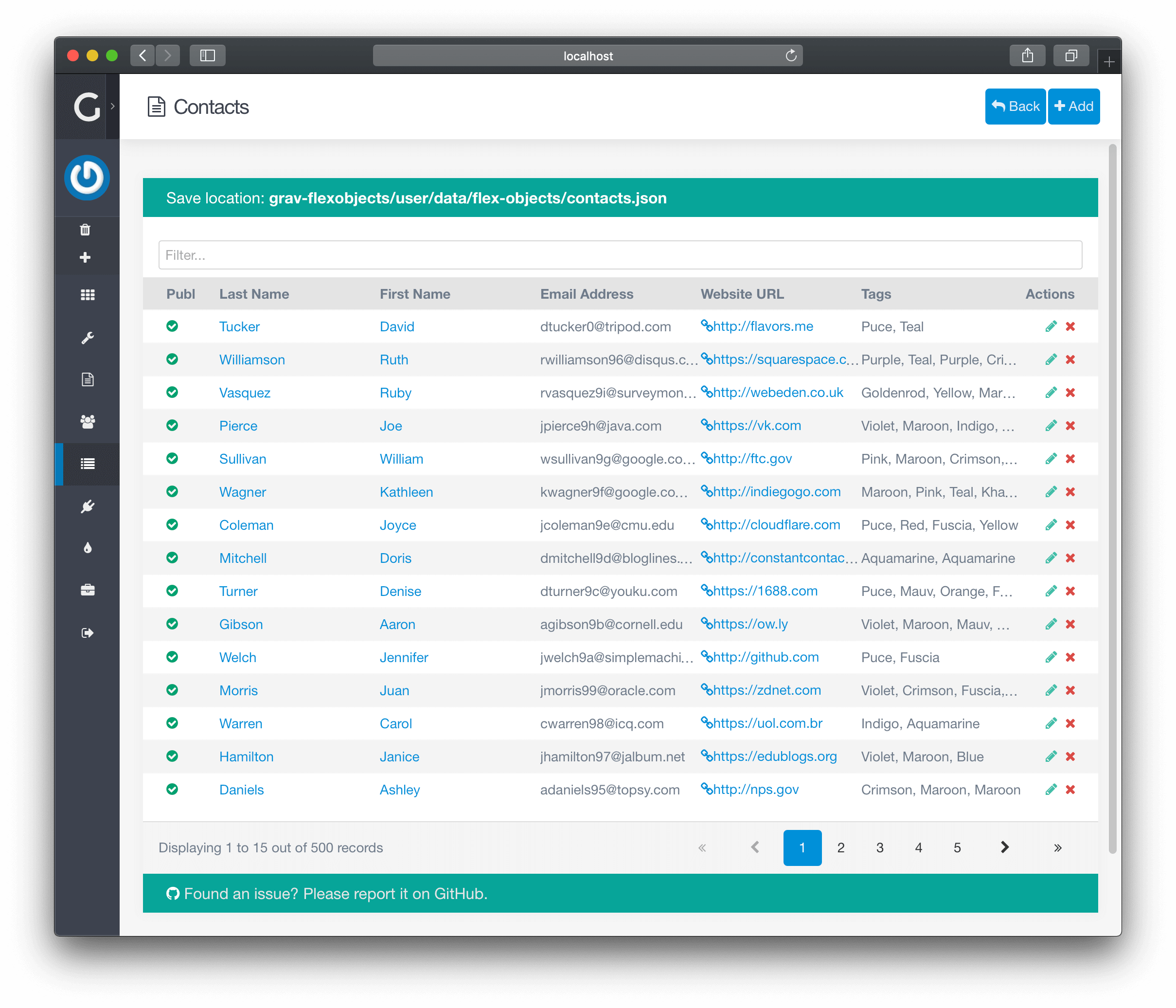
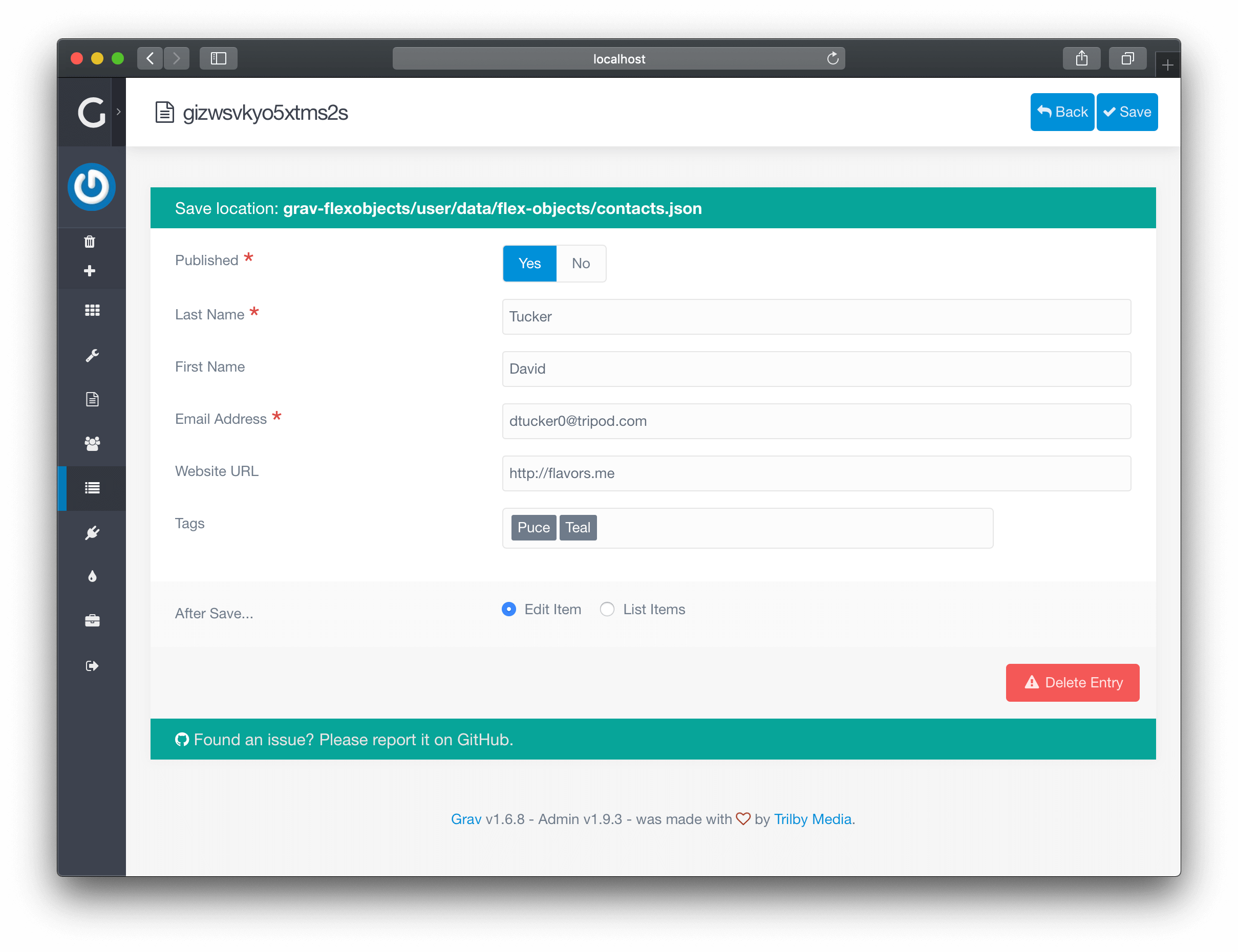
The **Flex Objects** Plugin is for [Grav CMS](https://github.com/getgrav/grav). Flex objects is a powerful new plugin that allows you to build custom collections of objects, which can modified by CRUD operations via the admin plugin to easily manage large sets of data that don't make sense as simple YAML configuration files, or Grav pages. These objects are defined by blueprints written in YAML and they are rendered by a set of twig files. Additionally both objects and collections can be customized by PHP classes, which allows you to define complex behaviors and relationships between the objects.
## System Requirements
Plugin requires **Grav** v1.7.25 or later version in order to run. Additionally you need **Form Plugin** v5.1.0 and optionally **Admin Plugin** v1.10.25 or later version.
## Installation
Typically a plugin should be installed via [GPM](http://learn.getgrav.org/advanced/grav-gpm) (Grav Package Manager):
```
$ bin/gpm install flex-objects
```
Alternatively it can be installed via the [Admin Plugin](http://learn.getgrav.org/admin-panel/plugins)
## Sample Data
Once installed you can either create entries manually, or you can copy the sample data set:
```shell
$ mkdir -p user/data/flex-objects
$ cp user/plugins/flex-objects/data/flex-objects/contacts.json user/data/flex-objects/contacts.json
```
## Configuration
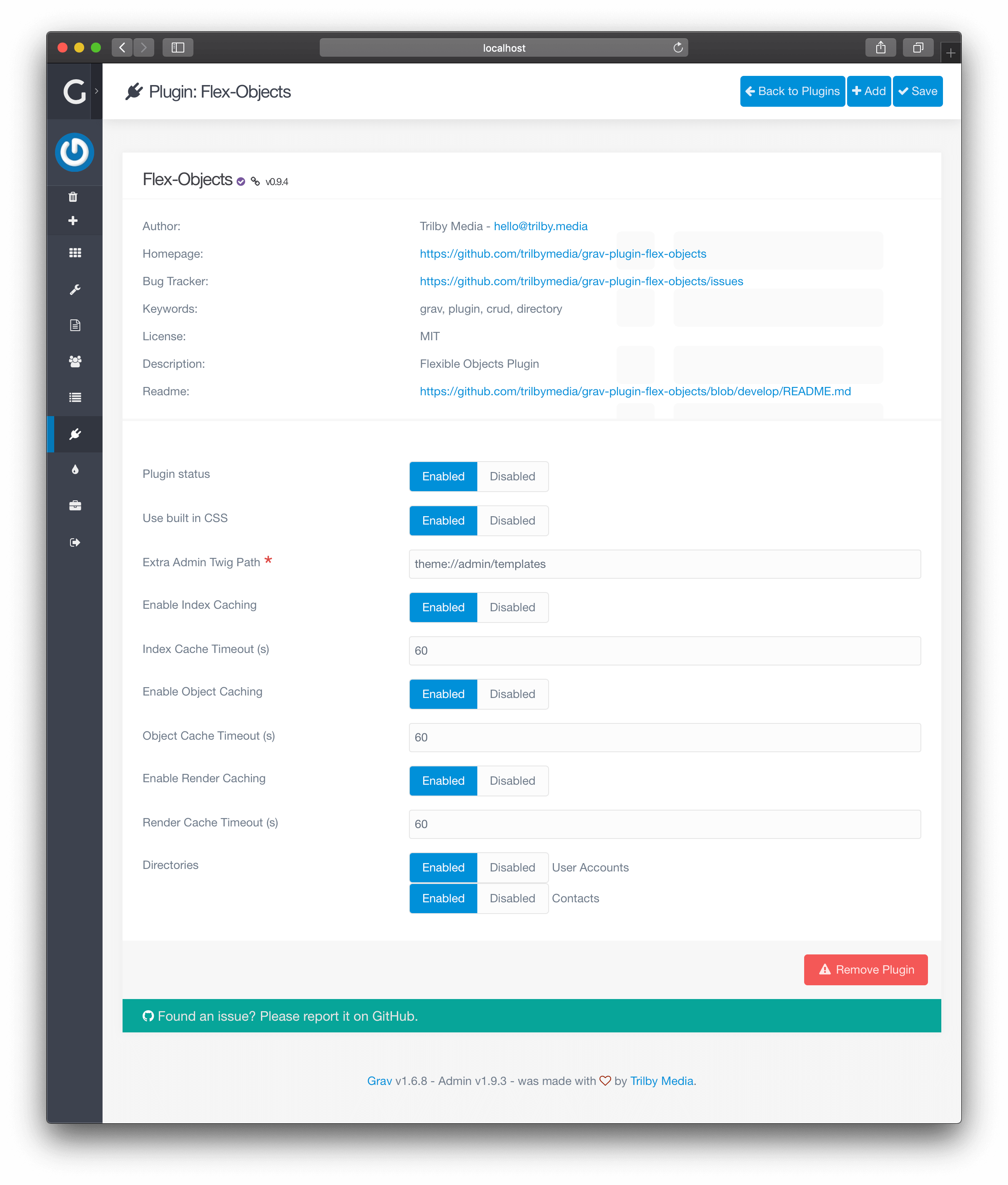
This plugin works out of the box, but provides several fields that make modifying and extending this plugin easier:
```yaml
enabled: true
built_in_css: true
#extra_site_twig_path: 'user://templates'
admin_list:
per_page: 15
order:
by: updated_timestamp
dir: desc
directories:
- 'blueprints://flex-objects/contacts.yaml'
- 'blueprints://flex-objects/pages.yaml'
- 'blueprints://flex-objects/user-accounts.yaml'
- 'blueprints://flex-objects/user-groups.yaml'
```
Simply edit the **Flex Objects** plugin options in the Admin plugin, or copy the `flex-objects.yaml` default file to your `user/config/plugins/` folder and edit the values there. Read below for more help on what these fields do and how they can help you modify the plugin.
Most interesting configuration option is `directories`, which contains list or blueprint files which will define the flex types.
## Admin Next Nested Detail Rows
Admin Next can render an expandable child Flex table for a parent list row when the parent type exposes `config.admin.list.detail` metadata. This is useful for Flex-to-Flex relations such as users to payments.
Add `config.admin.list.detail` to the parent type blueprint:
```yaml
config:
admin:
list:
detail:
enabled: true
label: Payments
title: Payments
icon: fa-credit-card
limit: 12
actions: true
relation:
type: payments
local_key: username
foreign_key: subject_key
sort:
paid_at: desc
```
Options:
- `enabled`: turn detail rows on for the list.
- `label`: toggle button title and accessibility label.
- `title`: heading shown above the nested table.
- `icon`: Font Awesome icon used by the toggle button.
- `limit`: nested table page size.
- `actions`: include allowed child edit/delete actions in the nested table.
- `relation.type`: child Flex type.
- `relation.local_key`: parent object property used as the relation value.
- `relation.foreign_key`: child object property filtered by the parent value.
- `relation.sort`: default child sort order, either `{ by: field, dir: asc|desc }` or `{ field: asc|desc }`.
If `detail.fields` is omitted, the nested table uses the child type list fields. You can also override the nested view in the parent blueprint:
```yaml
config:
admin:
list:
detail:
fields:
amount:
width: 8
status: true
paid_at:
width: 12
internal_notes: false
```
Field values behave as follows:
- `true`: include the child list field as-is.
- `false`: hide the field.
- object: merge local overrides on top of the child list field definition.
The metadata is available through `GET /api/v1/flex-objects/{type}/metadata`, and child rows are loaded through `GET /api/v1/flex-objects/{childType}` with exact `filters[field]=value` query parameters.
Action buttons are permission-aware. When `actions: true`, the API exposes only the actions the current user can perform on the child type (`can_edit`, `can_delete`). Edit also requires the child type to have a generic Admin Next Flex edit route; built-in types with dedicated Admin Next pages do not expose that action through nested detail rows. Exact child filters currently scan the materialized Flex collection in PHP, matching the existing list/search/sort path; very large child directories may eventually need an indexed lookup.
## MCP Tools
The plugin ships an `mcp.yaml` manifest, which the API plugin serves at `GET /api/v1/mcp/tools`. An MCP server such as [grav-mcp](https://github.com/getgrav/grav-mcp) or [grav-plugin-mcp-server](https://github.com/sandymac/grav-plugin-mcp-server) turns it into ten `flex_*` tools: list directories, read a directory's metadata and blueprint, and list, read, create, update and delete objects and their media. The three catalog tools (directories, metadata, blueprint) need `api.access`, the same as their routes. The object and media tools are checked at call time against the directory's own permissions (for example `api.contacts.update`), exactly like the REST routes they map to.
Because an object's fields come from the directory blueprint, `flex_create_object` and `flex_update_object` take them as a single `object` argument that is sent as the request body. A model should call `flex_get_blueprint` first to learn the field names. This needs API plugin 1.0.28 or later; an older API plugin skips the manifest with a warning in the `GET /api/v1/mcp/tools` response.
An API key restricted with a `scopes` list needs `api.access` among its scopes to reach the three catalog tools. A key scoped to `api.contacts` alone can read and write contacts, but `flex_get_blueprint` refuses it, so scope such a key as `[api.access, api.contacts]`. There is no media upload tool, because that route takes a multipart form rather than JSON, so a file removed with `flex_delete_media` cannot be put back through MCP.
## Security Settings
The plugin includes security settings to protect against unauthorized modification of sensitive page settings:
```yaml
security:
# Restrict non-superusers from modifying page form/process settings
restrict_page_frontmatter: true
```
### Page Frontmatter Restriction
When `restrict_page_frontmatter` is enabled (the default), non-superuser accounts cannot modify the following page header fields:
- `header.form` - Form definitions and process handlers
- `header.forms` - Multiple form definitions
- `header.process` - Page process settings
- `header.twig` - Twig processing settings
**Important Notes:**
- This setting is **enabled by default** for security
- When enabled, editors can still save pages that contain forms - the existing form definitions are preserved
- Only the ability to **modify** these fields is restricted; existing values remain intact
- Superusers always have full access regardless of this setting
**If your editors need to modify forms:**
If you have a legitimate use case where editors need to modify form definitions (e.g., in Expert mode), you can disable this restriction:
```yaml
# user/config/plugins/flex-objects.yaml
security:
restrict_page_frontmatter: false
```
> **Warning:** Disabling this setting allows editors to modify form process handlers, which could potentially be used to execute arbitrary code if an editor account is compromised. Only disable if you trust all editor-level users.
## Displaying
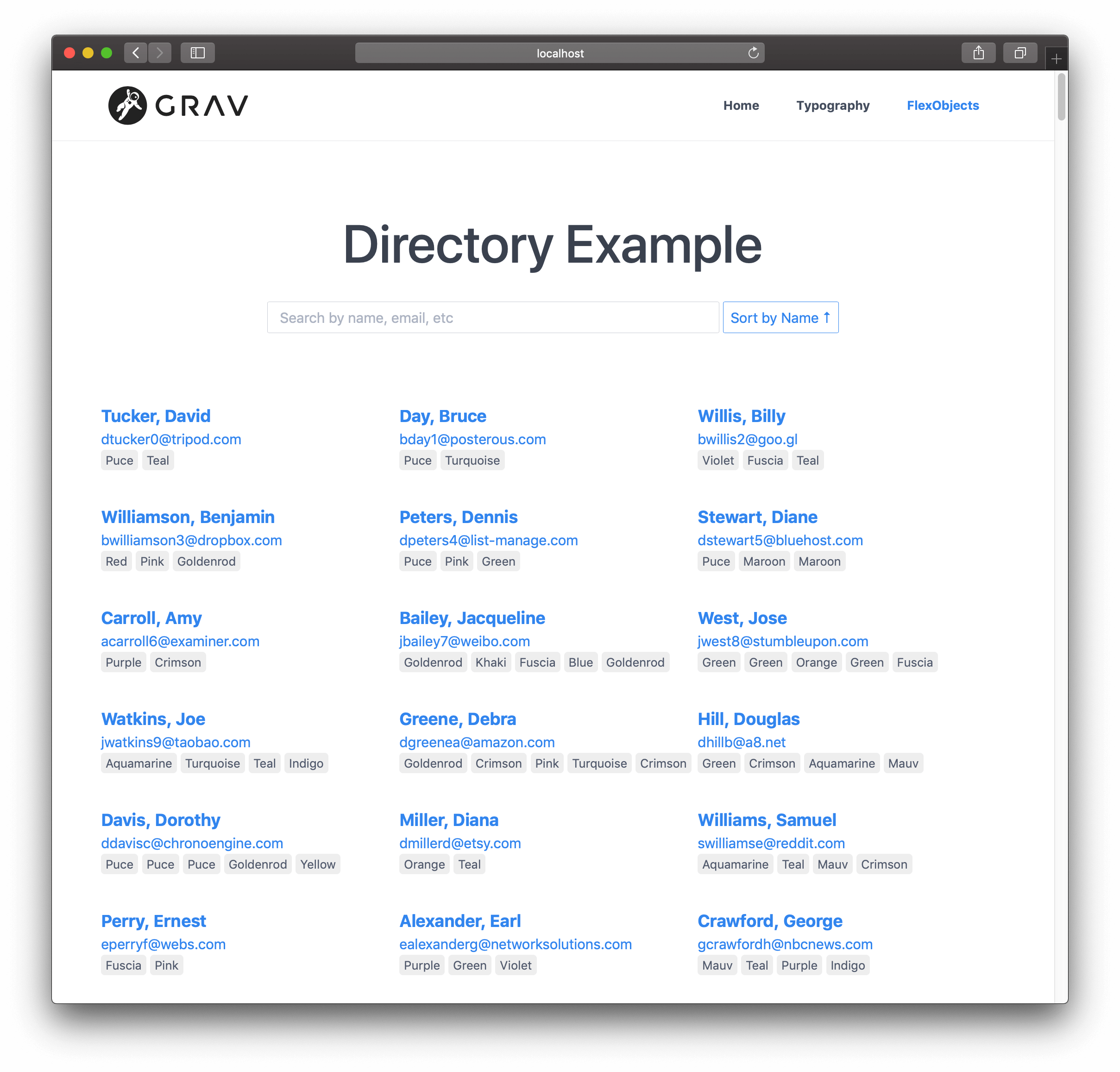
just create a page called `flex-objects.md` or set the template of your existing page to `template: flex-objects`. This will use the `flex-objects.html.twig` file provided by the plugin.
```twig
---
title: Directory
flex:
directory: contacts
---
# Directory Example
```
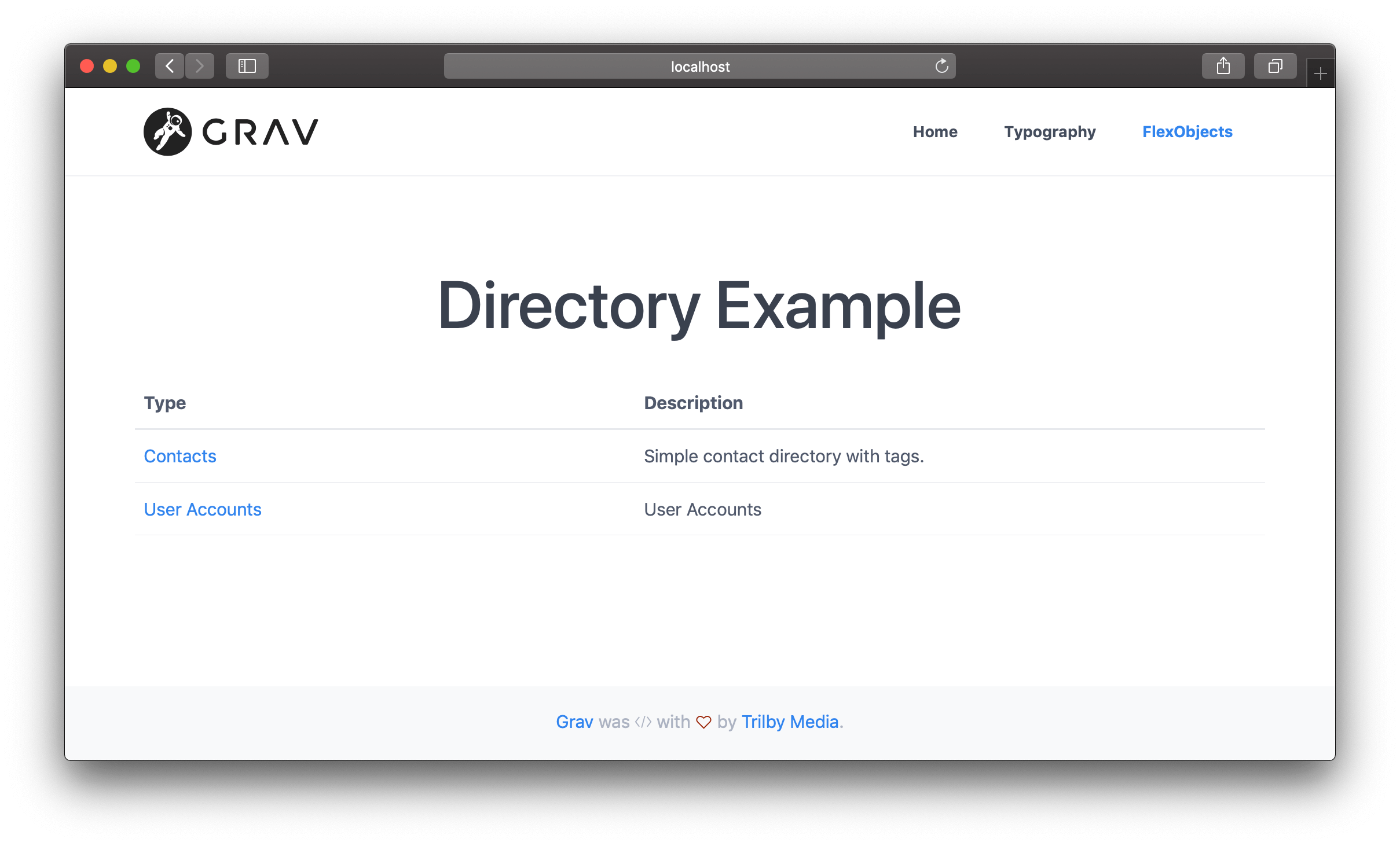
If you do not specify `flex.directory` name in the page header, the page will list all directories instead of displaying entries from a single directory.
# Modifications
This plugin is configured with a sample contacts directory with a few sample fields:
* published
* first_name
* last_name
* email
* website
* tags
These are probably not the exact fields you might want, so you will probably want to change them. This is pretty simple to do with Flex Objects, you just need to change the **Blueprints** and the **Twig Templates**. This can be achieved simply enough by copying some current files and modifying them.
Let's assume you simply want to add a new "Phone Number" field to the existing Data and remove the "Tags". These are the steps you would need to perform:
1. Copy the `blueprints/flex-objects/contacts.yaml` Blueprint file to another location, let's say `user/blueprints/flex-objects/`. The file can really be stored anywhere, but if you are using admin, it is best to keep the blueprint file where admin can automatically find it.
!!! **NOTE:** If you want to put the blueprints to `user/themes/yourtheme/blueprints`, you need to use the new blueprint folder structure from Grav 1.7. See [Plugin/Theme Blueprints](https://learn.getgrav.org/17/advanced/grav-development/grav-17-upgrade-guide#plugin-theme-blueprints-blueprints-yaml).
2. Edit the `user/blueprints/flex-objects/contacts.yaml` like so:
```yaml
title: Contacts
description: Simple contact directory with tags.
type: flex-objects
config:
admin:
list:
title: name
fields:
published:
field:
type: toggle
label: Publ
width: 8
last_name:
link: edit
first_name:
link: edit
email:
phone:
data:
storage:
class: 'Grav\Framework\Flex\Storage\SimpleStorage'
options:
formatter:
class: 'Grav\Framework\File\Formatter\JsonFormatter'
folder: user-data://flex-objects/contacts.json
form:
validation: loose
fields:
published:
type: toggle
label: Published
highlight: 1
default: 1
options:
1: PLUGIN_ADMIN.YES
0: PLUGIN_ADMIN.NO
validate:
type: bool
required: true
last_name:
type: text
label: Last Name
validate:
required: true
first_name:
type: text
label: First Name
email:
type: email
label: Email Address
validate:
required: true
website:
type: url
label: Website URL
phone:
type: text
label: Phone Number
```
See how we replaced `tags:` with `phone:` in the `config.admin.list.fields` section at the top. Also, notice how we removed the `tags:` Blueprint field definition, and added a simple text field for `phone:`. If you have questions about available form fields, [check out the extensive documentation](https://learn.getgrav.org/forms/blueprints/fields-available) on the subject.
3. We need to copy the frontend Twig file and modify it to add the new "Phone" field. By default your theme already has its `templates`, so we can take advantage of it 2. We'll simply copy the `user/plugins/flex-objects/templates/flex/contacts/object/default.html.twig` file to `user/themes/quark/templates/flex/contacts/object/default.html.twig`. Notice, there is no reference to `admin/` here, this is site template, not an admin one. We are also assuming you are using `Quark` theme, so you may have to change this to reference the theme you are using.
4. Edit the `default.html.twig` file you just copied so it has these modifications:
```twig
```
Notice, we removed the `entry-extra` DIV, and added a new `if` block with the Twig code to display the phone number if set.
5. We also need to tweak the JavaScript initialization which provides which hooks up certain classes to the search. To do this we need to copy the `user/plugins/flex-objects/templates/flex/contacts/collection/default.html.twig` file to `user/themes/quark/templates/flex/contacts/collection/default.html.twig`. Notice this is the `collection` template this time, not the `object` template as we copied before.
Edit this file and replace the `` tag at the bottom with this code:
```html
```
# File Upload
To upload files you can use the `file` form field. [The standard features apply](https://learn.getgrav.org/forms/blueprints/how-to-add-file-upload), and you can simply edit your custom blueprint with a field definition similar to:
```
item_image:
type: file
label: Item Image
random_name: true
destination: 'user/data/flex-objects/files'
multiple: true
```
> In order to fully take advantage of image uploads, you should always be using `FolderStorage`, meaning that the objects get saved to individual folders together with the images. Other storage layers may or may not support media.
# Advanced
You can radically alter the structure of the `contacts.json` data file by making major edits to the `contacts.yaml` blueprint file. However, it's best to start with an empty `contacts.json` if you are making wholesale changes or you will have data conflicts. Best to create your blueprint first. Reloading a **New Entry** until the form looks correct, then try saving, and check to make sure the stored `user/data/flex-objects/contacts.json` file looks correct.
Then you will need to make more widespread changes to the site Twig templates. You might need to adjust the number of columns and the field names. You will also need to pay attention to the JavaScript initialization in each template.
# Features
Here are the main benefits of using Flex objects:
* CRUD is automatically handled for you by Flex Objects plugin
* Objects can be stored using many different strategies, including single file, file per object or folder per object; using yaml, json etc.
* Flex types can be easily extended by custom PHP collection and object classes
* Both Flex objects and collections know how to render themselves: `echo $object->render($layout, $context)` or `{% render object layout: layout with context %}`
* You can easily create custom layouts for your objects and collections to be used in different pages
* Both Flex objects and collections support serialization and `json_encode()`
* Flex objects support Grav `Medium` objects with few lines of code
* Flex objects can have relations to other Flex objects with few lines of code defining the relation
* Flex directories support indexes which allow searching objects without loading all of them
* Efficient caching for indexes, searches, objects and rendered output
# Limitations and future improvements
Right now there are a few limitations:
* Frontend only has a basic routing for the individual pages (you need to do the advanced routing manually by yourself)
* Administration needs more features like filtering, bulk updates etc
* It would be nice to have an easy way to display Flex admin in other admin plugins (it is already possible, but not easy)
* Optional database storage layer would be nice to have
* We need general collection functions to do simple filtering, like: "display all published items" without custom PHP code
### Notes:
1. You can use any path for frontend Twig templates, if you don't want to put them in your theme. Set the **Extra Site Twig Path** (`extra_site_twig_path`) option in `user/config/plugins/flex-objects.yaml` and point it at another location. See [Where to keep your templates](#where-to-keep-your-templates) below.
# Where to keep your templates
**Never keep your own files inside `user/plugins/flex-objects/`.** Updating a plugin deletes the plugin directory and replaces it with the new release, so anything you copied in there — templates, blueprints, notes — is gone after the next update. That applies to every Grav plugin, not just this one.
There are two update-safe places for Flex site templates.
### 1. Your theme (no configuration needed)
Mirror the plugin's structure under your theme's `templates/` folder:
```text
user/themes/YOUR_THEME/templates/flex/YOUR_TYPE/collection/default.html.twig
user/themes/YOUR_THEME/templates/flex/YOUR_TYPE/object/default.html.twig
```
Grav puts the theme's templates ahead of every plugin's, so these win automatically. Use this only in a theme you control (a custom theme, or an inherited one); a stock theme has the same update problem the plugin does.
### 2. `user/templates/` (via `extra_site_twig_path`)
If you would rather not tie the templates to a theme, create the folder `user/templates` and use the same structure:
```text
user/templates/flex/YOUR_TYPE/collection/default.html.twig
user/templates/flex/YOUR_TYPE/object/default.html.twig
```
Then switch the option on in `user/config/plugins/flex-objects.yaml`:
```yaml
extra_site_twig_path: 'user://templates'
```
It ships commented out rather than enabled, because the root is added to Twig's search path ahead of Grav's own `system://templates`, and a site that already has a `user/templates` folder for something else would suddenly have those files shadowing core templates. Nothing Grav installs ever writes to `user/templates`, so once you opt in, a plugin or theme update cannot remove what you put there.
Any folder works, not just that one:
```yaml
extra_site_twig_path: 'config://flex-objects/templates'
```
A list works too, and the first match wins:
```yaml
extra_site_twig_path:
- 'user://templates'
- 'config://flex-objects/templates'
```
The lookup order for a Flex site template is: your theme (and any theme it inherits from), then each `extra_site_twig_path` root, then this plugin's own `templates/` folder, then Grav's core templates.
### `config.site.templates.*.paths` is not a folder setting
A common mistake is to try to relocate templates by putting a stream URI in the blueprint:
```yaml
# WRONG - this will fail with: Template "config://..." is not defined
config:
site:
templates:
collection:
paths:
- 'config://flex-objects/templates/flex/changelog/collection/default.html.twig'
```
Those `paths` entries are **template names handed to Twig**, resolved against the directories Twig already knows about. They are not search roots, and they do not understand `config://`, `user://` or any other Grav stream. Leave them as the relative patterns the stock blueprints use and let `extra_site_twig_path` (or your theme) decide *where* those names are found:
```yaml
config:
site:
templates:
collection:
paths:
- 'flex/{TYPE}/collection/{LAYOUT}{EXT}'
object:
paths:
- 'flex/{TYPE}/object/{LAYOUT}{EXT}'
defaults:
type: changelog
layout: default
```
`{TYPE}`, `{LAYOUT}` and `{EXT}` are placeholders Flex Objects fills in while rendering — write them exactly as shown.
Blueprints themselves are already safe: `user/blueprints/flex-objects/YOUR_TYPE.yaml` is outside the plugin and survives updates.
# Tricks and tips
* You can enable and disable directories from **Plugins** > **Flex Objects**
* New Flex Directories can be registered by simply creating a new blueprint file in `user/blueprints/flex-objects` folder
* You can also add types from your plugins by hooking into `onFlexInit` event (see `AccountsServiceProvider` in Grav)
* To properly create your own custom types, you need at least the object blueprint and the template files for collections and objects
* Use `flex-objects.md` page to create entry point for your own directory
* In page header you can use nested `flex.directory` variable to define the directory (or do it in admin)
* In Admin you can just select the directory under the page title
# Parameters supported by Flex page type:
```
---
title: 'Flex Directories'
flex:
directories:
layout: default
list:
- accounts
- contacts
---
```
`directories.layout`: uses template file `templates/flex-objects/directories/[LAYOUT].html.twig`
`directories.list`: list of flex directories displayed in this page